Agent Dev Journey
By the time LLMs entered my workflow, I had already moved from sketches into small apps and systems, so the shift was less about starting to code and more about changing the scale of what I could attempt.
When ChatGPT first made coding with AI feel real, I was resistant. It felt like something was being taken away from the part of programming I enjoyed, even as I moved into using it constantly: copy the problem in, copy the answer out, adjust, and repeat. I also felt the need for a system that could automatically bring in the right file context, but that was beyond my scope and beyond what I could imagine building at the time. Anything I could picture was either context living in code that I would copy into the chat, or a ChatGPT project with static instructions. That was exactly what Cursor was already doing in a real editor, but after hearing about it, I thought I did not need it and avoided it.
When Codex arrived in VS Code, I installed it and the shift became more practical. One early intuition was that agents did not only need more context; they needed better-organized context. If a project had a clear template and design system, the agent would not need to inspect every design pattern directly. It could build from an existing contract and avoid absorbing unnecessary files. That thread became the Averlo Next Template Journey, a separate record of how repeated project backports turned a starter into shared infrastructure.
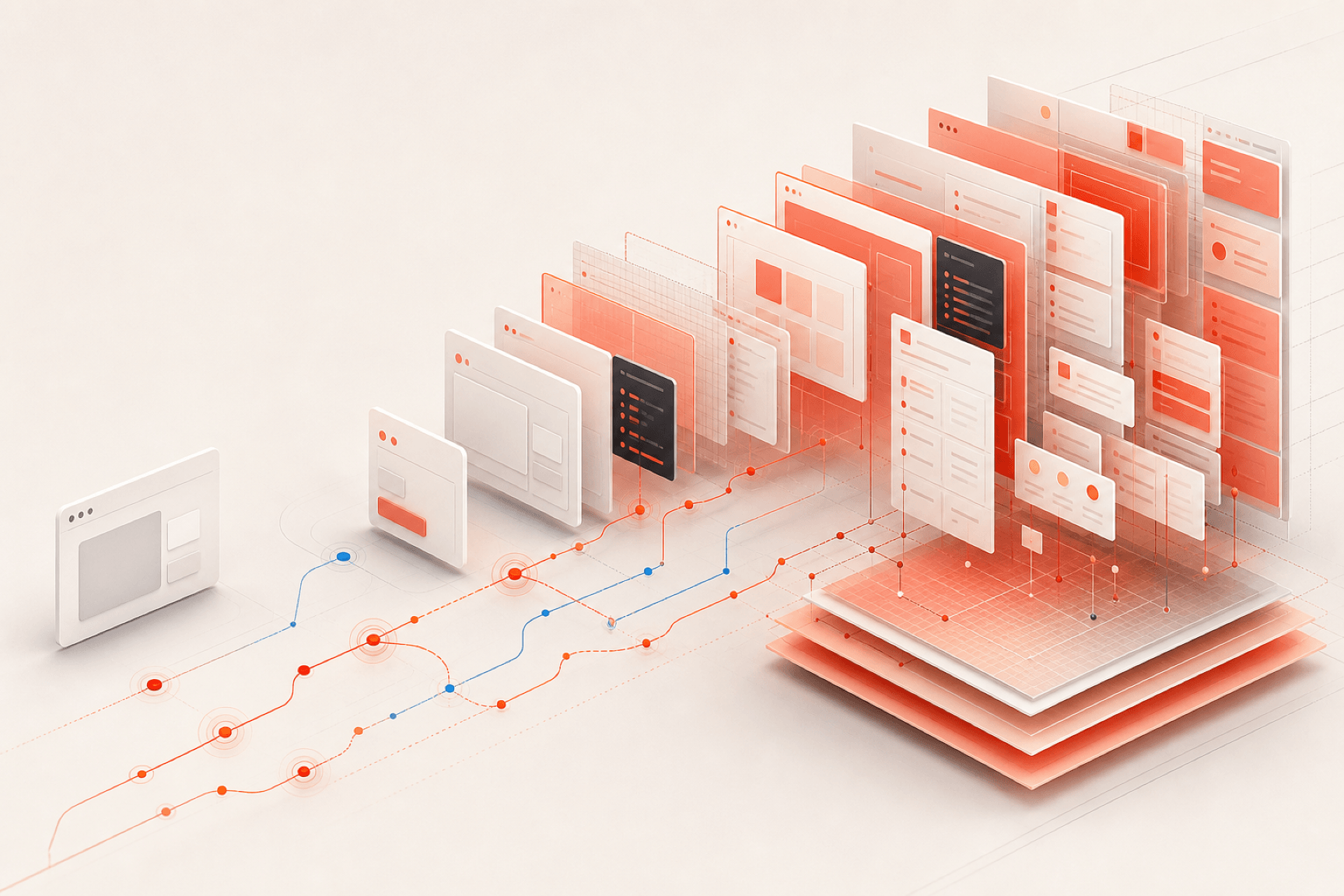
Averlo Next Template Journey
A working history of how repeated project backports turned a starter into shared design-system infrastructure, and where that generalization went too far.
I then moved into a more process-heavy phase. I realized I could outpace the agent by writing todos and letting it execute related changes together. That made me faster, but it also pushed me into usage limits. I made a small todo and skill-triage system for delegating tasks, grouping related skills, and choosing reasoning levels that would not block my subscription. That system became obsolete quickly with increased usage limits and because typing directly into agent chats was faster. I also started moving between Codex and Claude, often keeping two conversations open while I worked.
Even inside VS Code, the agent panels started taking over the workspace. More than half the screen could be extensions, chats, terminals, and sidebars, which made it harder to read the work I was asking for. Installing the Codex desktop app helped because it separated the agent from the editor. That subtraction had a tradeoff: less code context directly on screen, but more room to think about the task.
I also tried to make that setup usable from my phone by building a local bridge that left the laptop running Codex while Telegram surfaced its questions and let me control the next step. The experiment worked, but I eventually decided that taking it further would be a waste of time. Claude had already introduced a mobile-to-laptop agent bridge, and it felt inevitable that Codex would follow soon after, making my custom layer obsolete before it could justify the maintenance.
At the same time, I was learning useful agent skills faster than I could remember them, while also splitting work into chunked ledgers so I could plan several steps ahead instead of only reacting to the current prompt. That led to Codex Skill Overlay, a small Apple-window-inspired Electron surface for finding skills, adding lightweight setup context, and pasting a shaped prompt back into Codex. The app mattered less than the contract: the skills could remain useful even if the overlay disappeared. The same lesson showed up in the ledgers too: reduce repeated process, keep the reusable parts modular, and let the workflow change without losing the underlying structure.
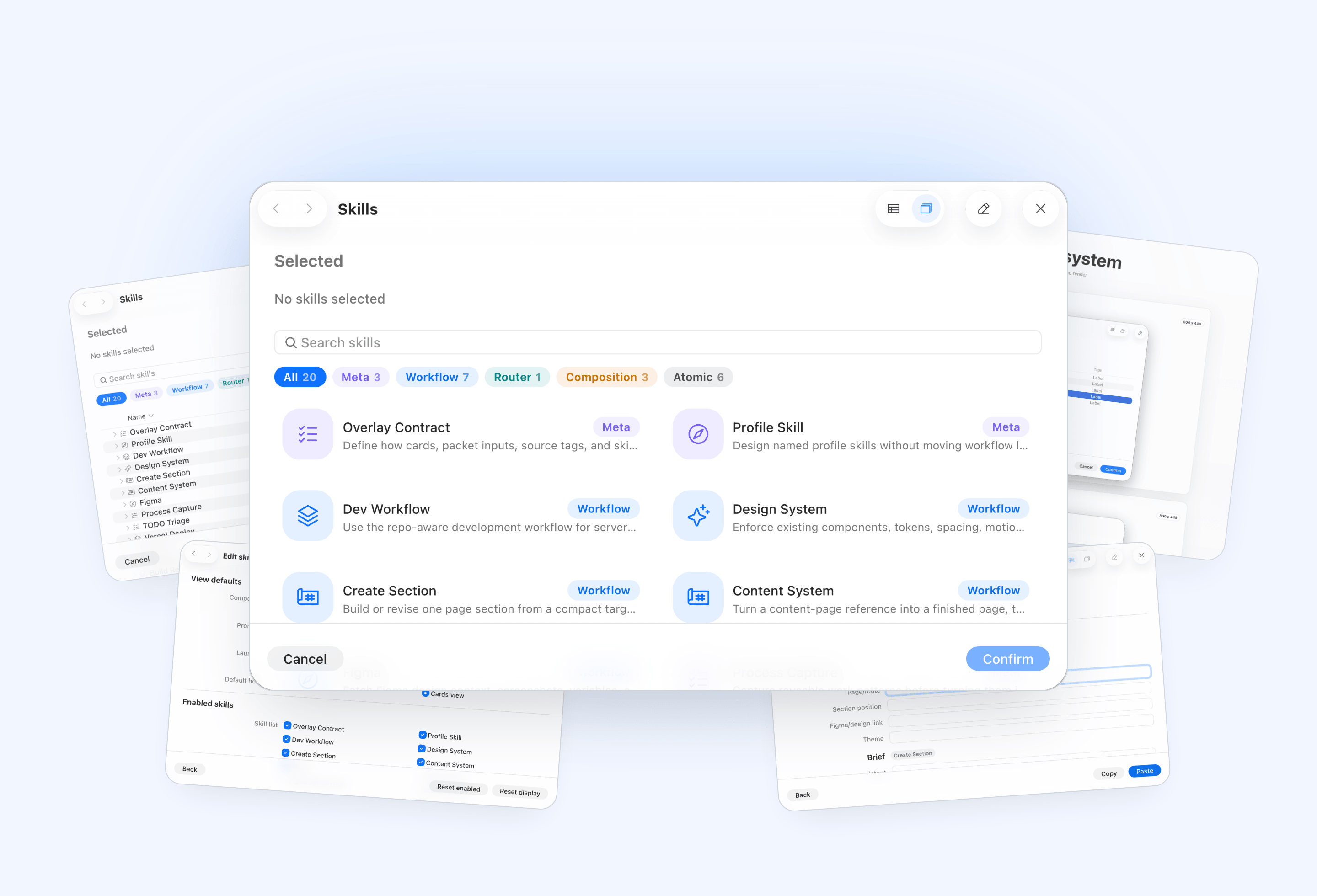
Codex Skill Overlay
Electron overlay for selecting Codex skills, shaping structured prompts, and sending them back into Codex.
Once thread splitting, chunk delivery planning, and ownership started mixing together, the work became slushy: too many ledgers, partial handoffs, and overlapping sources of truth. I took that as the reason to build Codex Orchestrator Dashboard, a Shape Up-inspired system for organizing agent work around a plan-build-test core, nested into recursive shapes when the work needs more structure. As of writing, it recently grew a CLI/context command that helps agents navigate the system before acting.
The layered model is the point: strategy and docs stay in the project, an adapter translates that strategy into a stable dashboard graph, the dashboard visualizes it, and the context command gives agents a read-only preflight. That keeps Codex chat as the place where work happens, while the orchestration layer stays replaceable. If the strategy changes, the dashboard does not have to be rebuilt; only the adapter and docs evolve.
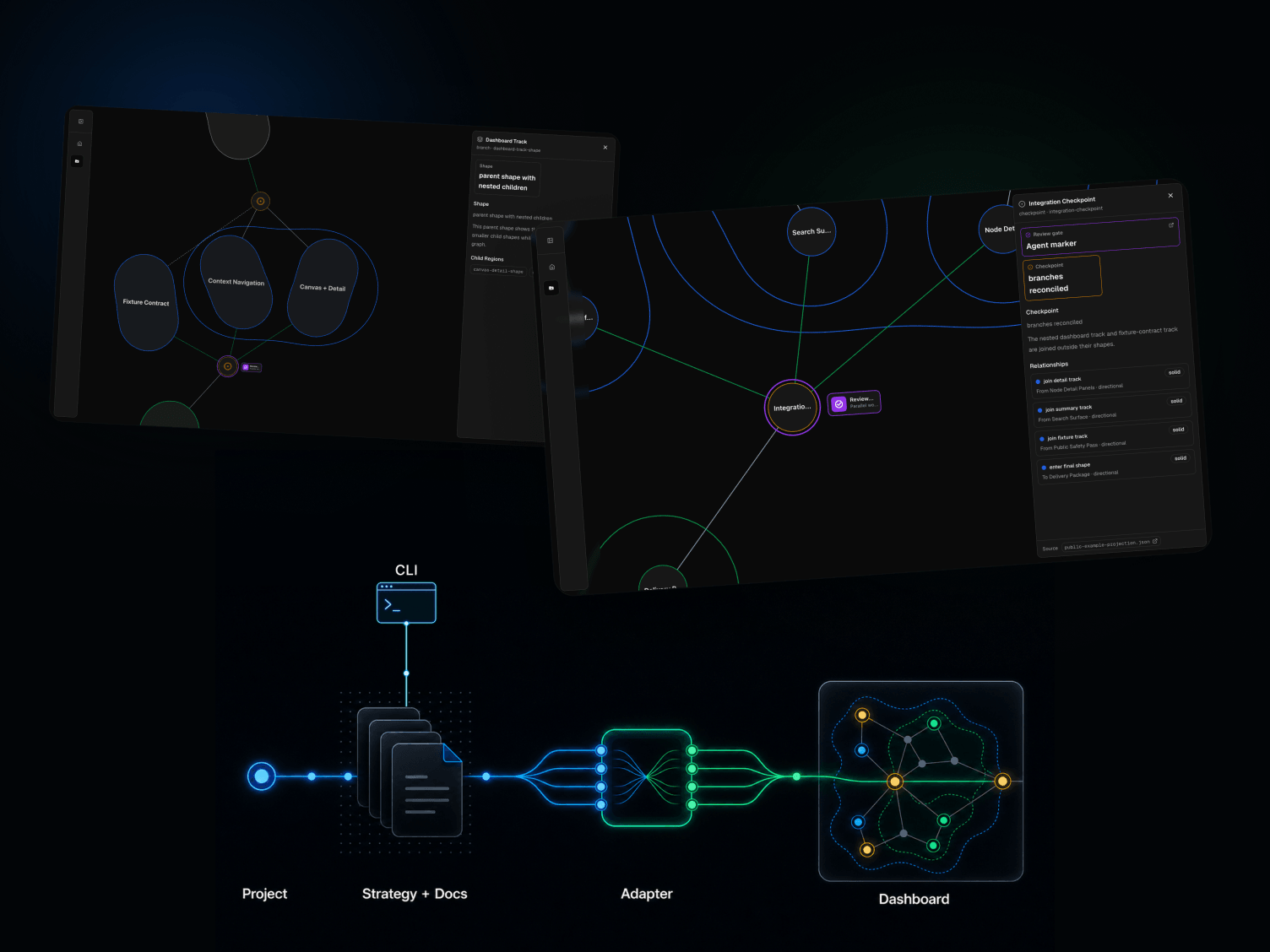
Codex Orchestrator Dashboard
Local-first visual sidecar for navigating Codex orchestration docs, project shape graphs, checkpoints, and agent context.
The next layer became the CLI. The dashboard made the strategy readable, but the command line made it available at the moment an agent was about to act: where am I, which docs matter, and what current state should I trust before changing files? The same idea is still underneath it: an agent should enter through repo-local docs, tests, strategy, and current-state hints instead of starting from a blank prompt.
That made the tradeoff clearer. As a day-to-day operating system, the orchestrator is too bulky and fragile: it creates post-work, invites ceremonial updates, and adds another surface that can drift. Where it still earns its keep is at the template boundary: implement a project as an orchestration strategy, generalize the recurring shapes into a template, then let the next project follow the same path. That is useful for repeated agency work, where client branding changes but the underlying structure often does not.
The larger lesson is that the durable solution is not one more universal orchestrator. It is a per-case solution that uses the existing entry point, Codex, and escalates only when the work actually needs another strategy. The current stage is closer to an escalation ladder: awesome-agent-orchestrators points to a broader set of agent-orchestration approaches, and each use becomes a small record of what pressure appeared, what was tried, and what scope it fit. Over time, those records can bucket the solutions properly instead of forcing every project into the same ceremony.
Exploring Dex made the gap between a promising ecosystem and a mature one more tangible. I spent nearly two days running it and burned through several usage limits on results that were not productive enough to justify the autonomy. I then looked for the most stripped-down alternative and found OpenAI Symphony, which I named Jade Symphony when I began adapting it. That first layer became another “vibe bubble”: it looked coherent from a distance, but broke down into slow runs where almost half the time was spent on autonomous review and orchestration repairs. Stripping it back to the default Symphony, a workflow defined by the template structure, /wayfinder, and GitHub Issues proved to be a much better scaffold for turning a concrete data model and product idea into real work. It also exposed technical debt in the template: the output could be correct while still being steered toward an unnatural implementation. Looking back, the orchestration dashboard was probably the silliest idea in this journey: it made the process visible, but also gave too much weight to the machinery around the work. The lesson was not that autonomy is useless, but that the provider harness already contains most of the tools needed for ordinary work, and a good plan will consistently beat extra orchestration. Trial and error still matters, but progress is constrained by the strength of the vocabulary and the clarity of the product. A more polished template would serve medium-sized projects better; larger work can still begin with Jade Symphony.